
ESMA
Lead Product Designer (End-to-End)
4–5 months
6–8 cross-discipline
Web · Multi-Role SIS
In development
Product Context
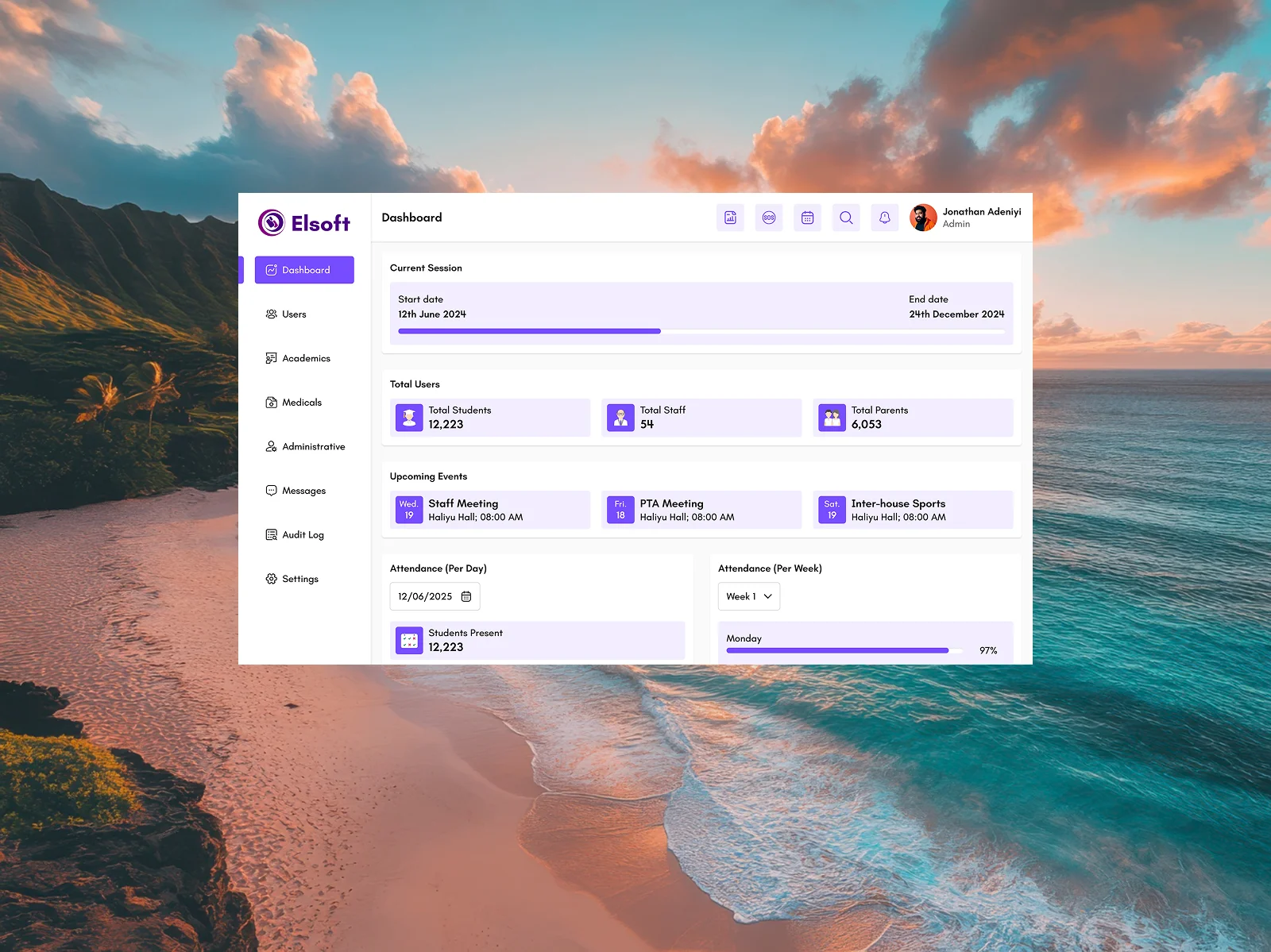
ESMA is a multi-tenant Student Information System designed for institutions ranging from primary schools to universities. The product brings admissions, academic operations, attendance, grading, finance, transport, library, communications and administrative workflows into one connected platform.
My design challenge was not simply to create dashboards. It was to turn a broad set of operational rules, permissions and state-heavy workflows into an interface that remained understandable for administrators, teachers, staff, students and parents — without exposing people to tools or data outside their responsibilities.
Designing One System for Many Roles
ESMA has five primary user types — Admin, Teacher, Staff, Student and Parent — but access becomes more granular inside those groups. Administrators can specialise in finance, academics, library or teacher management, while staff access is determined by assigned roles and permissions.
I treated permissions as part of the experience architecture rather than an implementation detail. Navigation, actions and data visibility needed to adapt to the user's effective permissions while keeping the underlying interaction patterns consistent across the product.
Role-Aware Navigation
Users see the modules and actions relevant to their responsibilities instead of navigating a universal admin interface.
Shared Interaction Patterns
Tables, filters, status badges, forms and detail views follow reusable patterns so complexity does not create a different product for every role.
Branch-Aware Context
For multi-branch institutions, a persistent branch switcher changes the operational context while preserving the user's selected scope across sessions.
Permission-Safe Actions
Unavailable actions are removed from the interface instead of allowing users to enter workflows they cannot complete.
School Administration
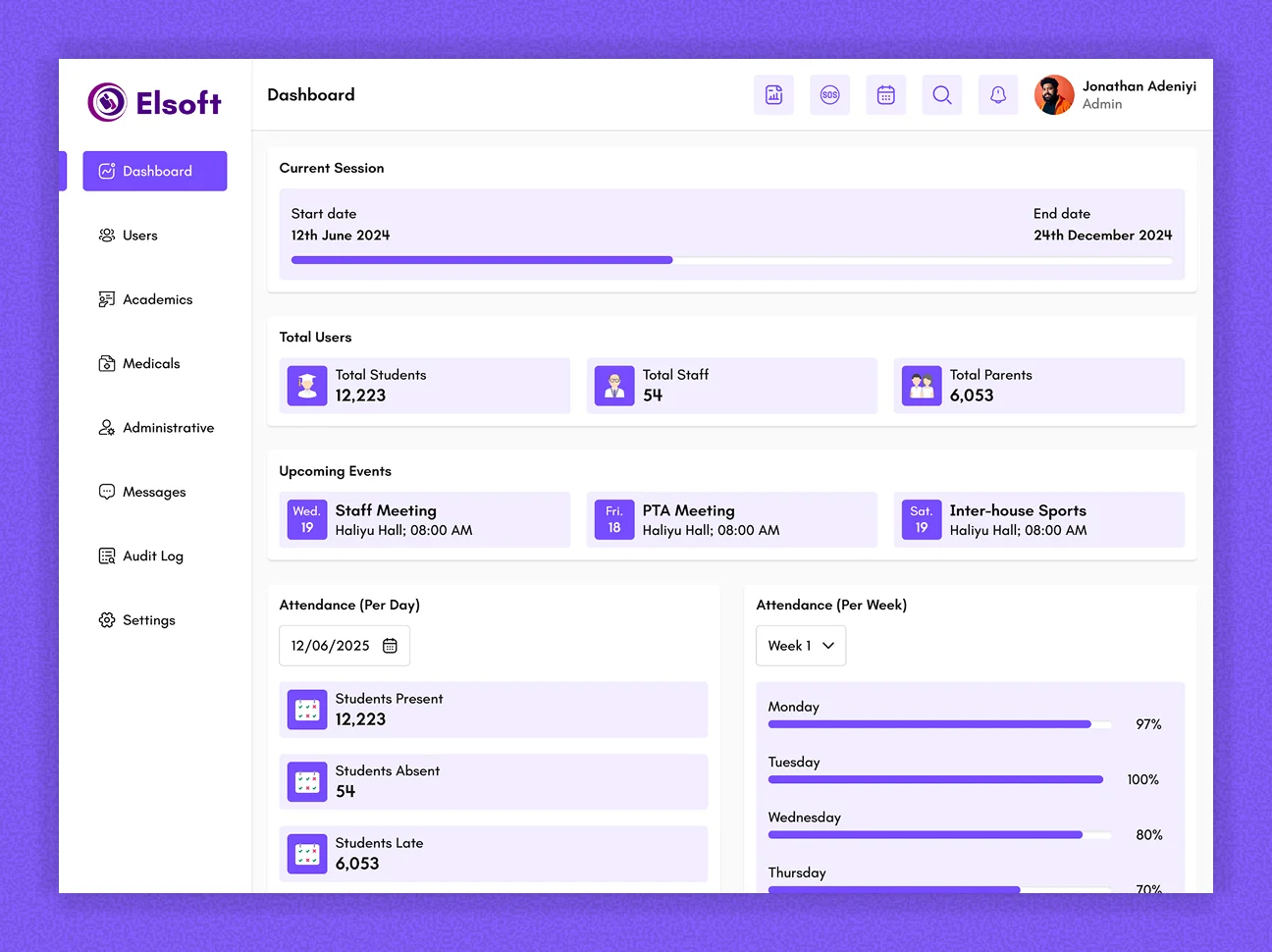
A decision surface for administrators combining institution-level signals such as student population, attendance, current academic period, pending approvals, notifications and outstanding fees. The emphasis is on surfacing what needs attention without turning the dashboard into a dense reporting screen.
Teaching & Academic Operations
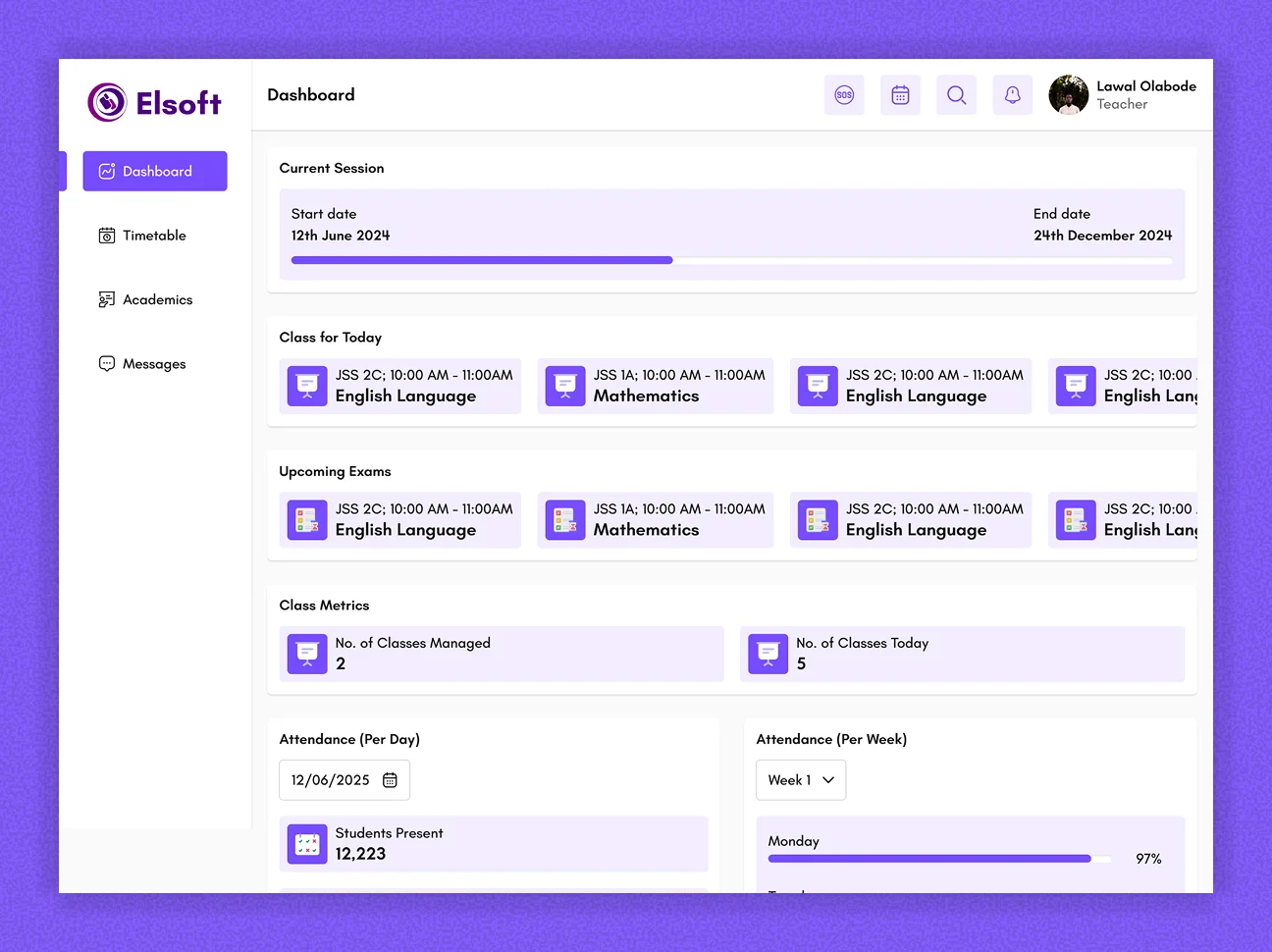
Teachers work within a narrower academic context: assigned classrooms, attendance, grading, timetables and reports. The interface keeps routine classroom actions close to the teaching context while removing unrelated administrative and financial controls.
Student Self-Service
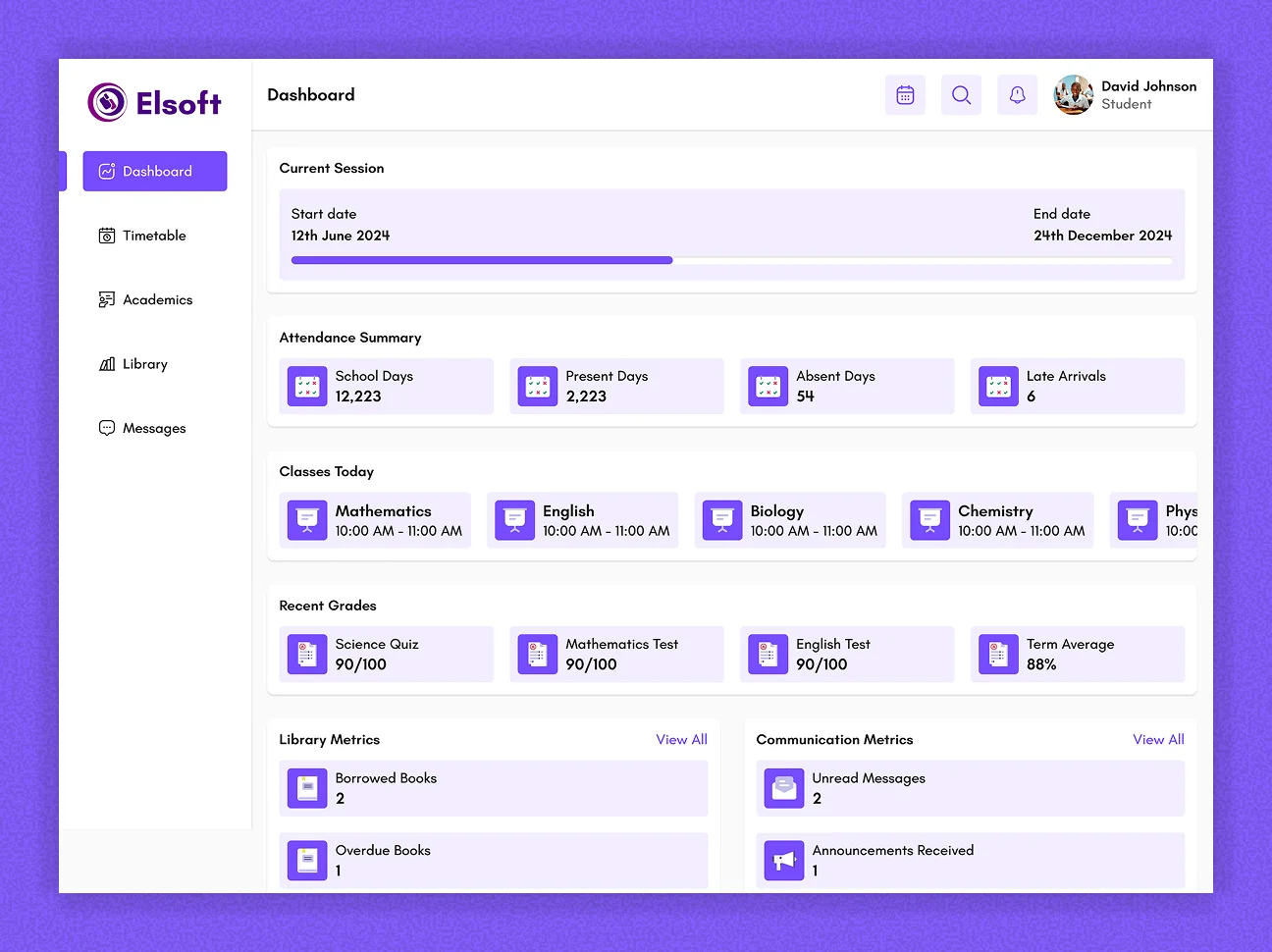
The student experience prioritises personal academic information: grades, attendance, assignments, fees and school updates. Complex administrative workflows stay out of the way, giving students a focused view of their own progress and obligations.
Parent Oversight
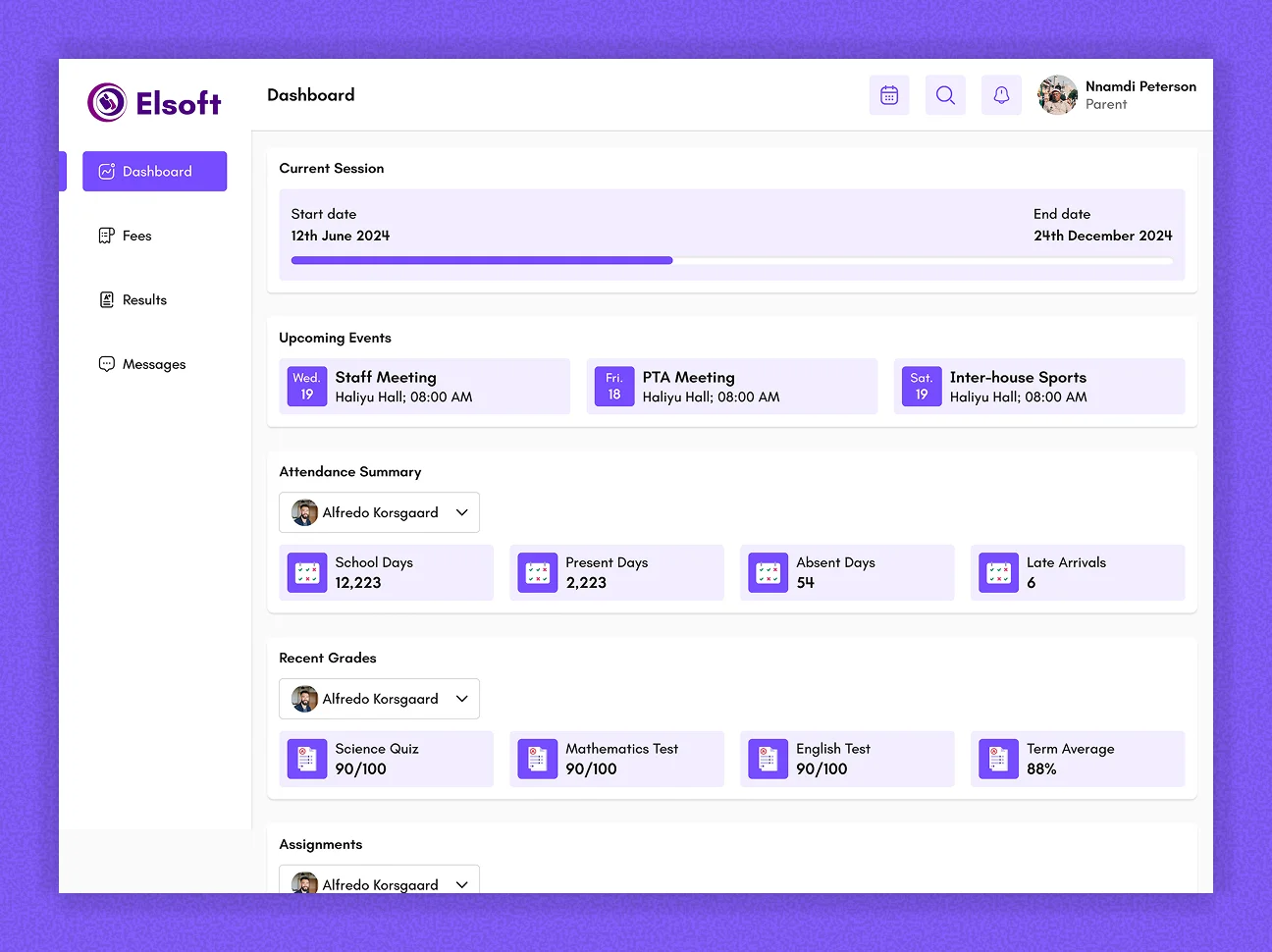
Parents receive read-focused access to their children's grades, attendance, fees and report cards. The experience is intentionally different from the administrator model: it provides visibility and context without exposing institutional controls.
System Governance
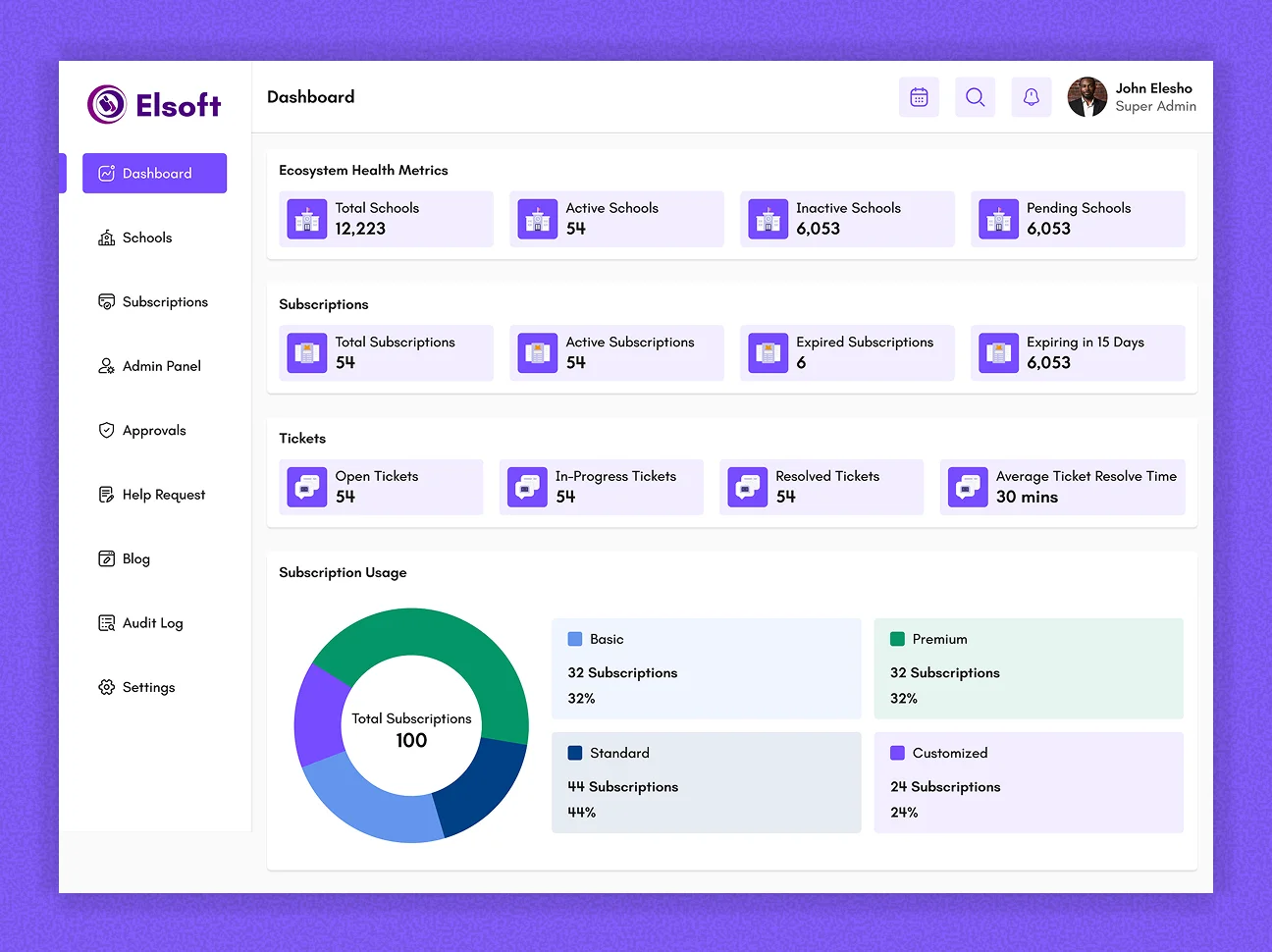
Administrative configuration covers roles and permissions, branches, academic structures, policies and audit visibility. These controls are separated from everyday school operations so high-impact configuration remains deliberate and easier to govern.
Making High-Stakes Workflows Explicit
Some school actions cannot behave like simple CRUD. Student lifecycle changes and end-of-session promotions can alter a learner's academic status, so the interface has to make state, responsibility and consequences visible before an action is committed.
Promotion workflow. Promotion batches move through Draft → Pending Approval → Approved → Executed, with rejection and cancellation paths. Academic staff can prepare decisions for a cohort, while approval is separated from execution through a maker-checker model.
Lifecycle controls. Suspension, reinstatement, withdrawal, transfer, expulsion, readmission and graduation are treated as state transitions rather than generic status dropdowns. Where policy requires approval, the UI must communicate that an action is pending rather than implying the student's status changed immediately.
Eligibility and holds. Compliance holds can block downstream actions. Surfacing those constraints in context prevents users from discovering them only after completing a long workflow.
Designing for Operational Scale
School operations are repetitive at scale, so the product needed to support bulk work without making errors harder to understand. I used progressive feedback and recoverable states for processes that may take longer than a normal request.
Bulk import and onboarding. Large data jobs use templates, asynchronous processing, progress states and row-level error feedback so administrators can identify what failed without restarting an entire upload.
Timetable generation. Automated timetable generation is handled as a job rather than a blocking form submission. Users can follow progress, review placed or failed entries and still make manual adjustments.
Consistent data patterns. Server-paginated lists, search, filters, status badges and timelines create a predictable framework across students, finance, attendance, library, transport and administrative records.
Design System & Interaction Strategy
With dozens of modules, consistency became a product requirement rather than a visual preference. I designed around reusable primitives for dense operational interfaces: list/detail layouts, filters, status treatments, form structures, confirmation states, timelines and permission-aware actions.
The same system also had to adapt responsively. Desktop tables collapse into card-based views on smaller screens, forms stack vertically, and high-value documents such as report cards are designed for both screen viewing and print/PDF output.
This gave engineering a repeatable interaction language while allowing individual modules to retain their domain-specific workflows.
Outcome
The result is a scalable design foundation for a broad school-management product: one interface language that can support very different responsibilities, complex approval states and large operational datasets without forcing every role into the same experience.
The work strengthened the product beyond its original dashboard concepts by defining how permissions, branch context, lifecycle states, approvals, bulk operations and system feedback should behave across the platform. ESMA remains in development, so I have intentionally presented the outcome as product and design-system maturity rather than attaching unverified performance metrics.